Fan Technical Documents
Download catalogue sheets and CSVs, or request the approval file for your exact model.
Catalogue sheets
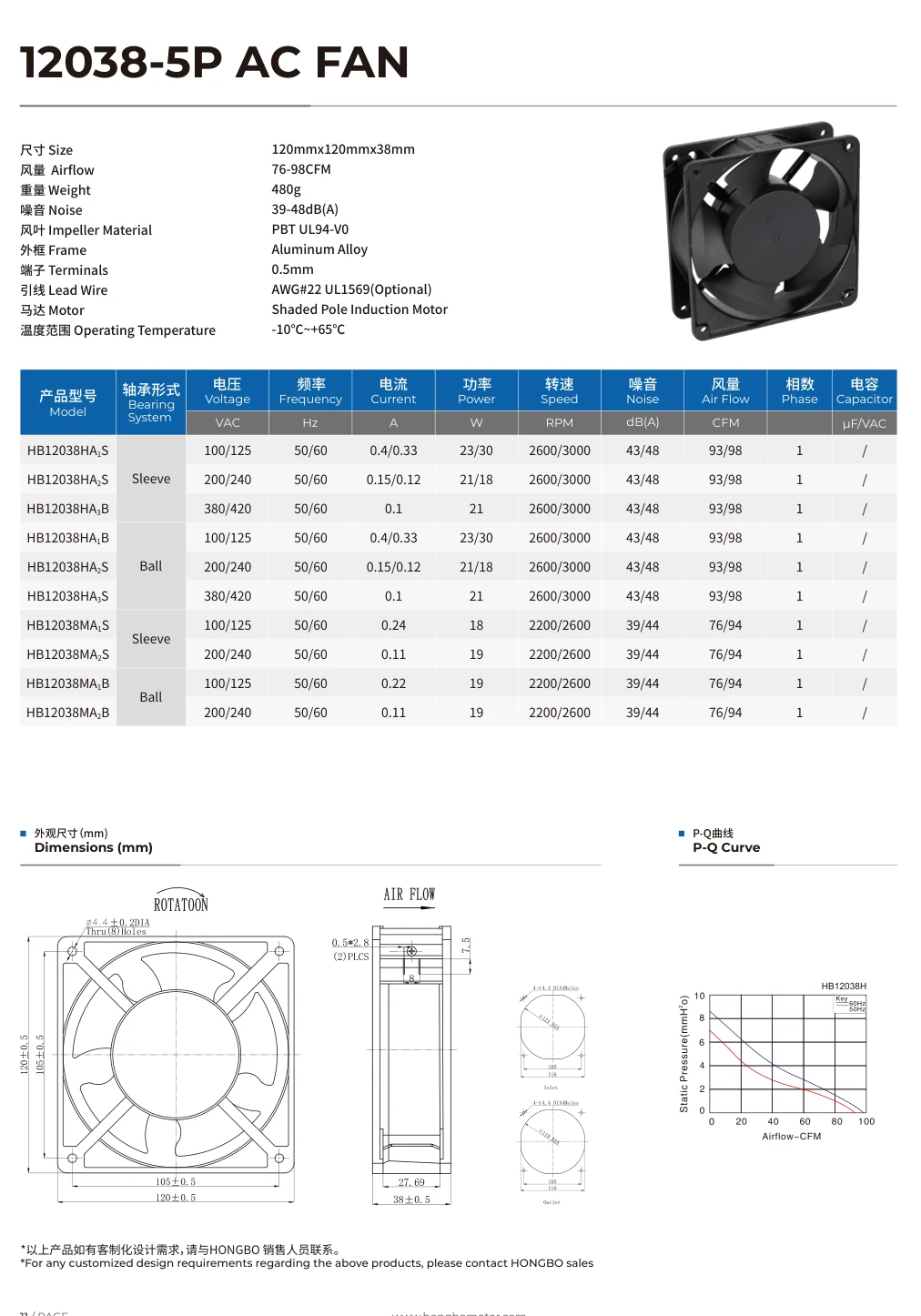
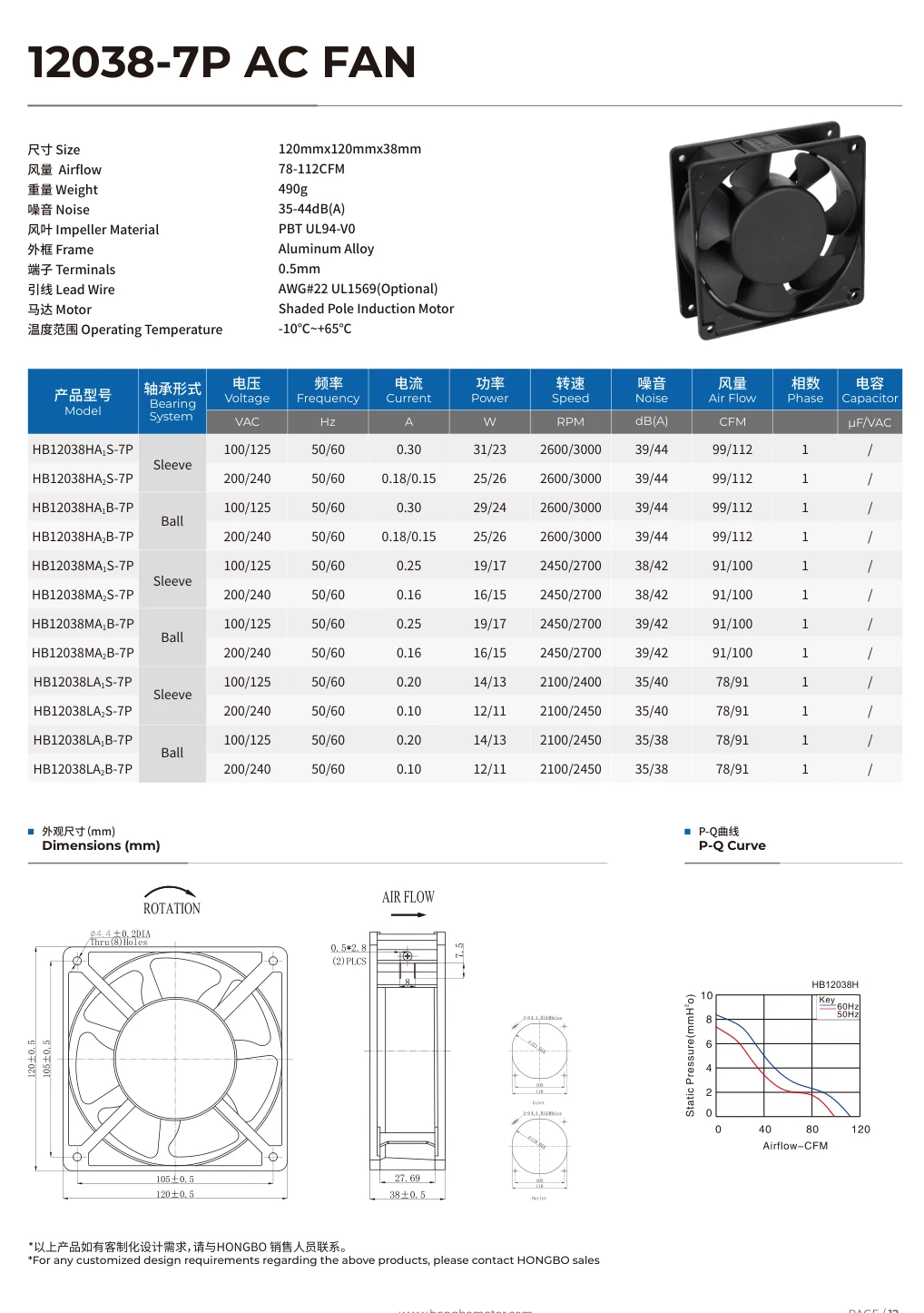
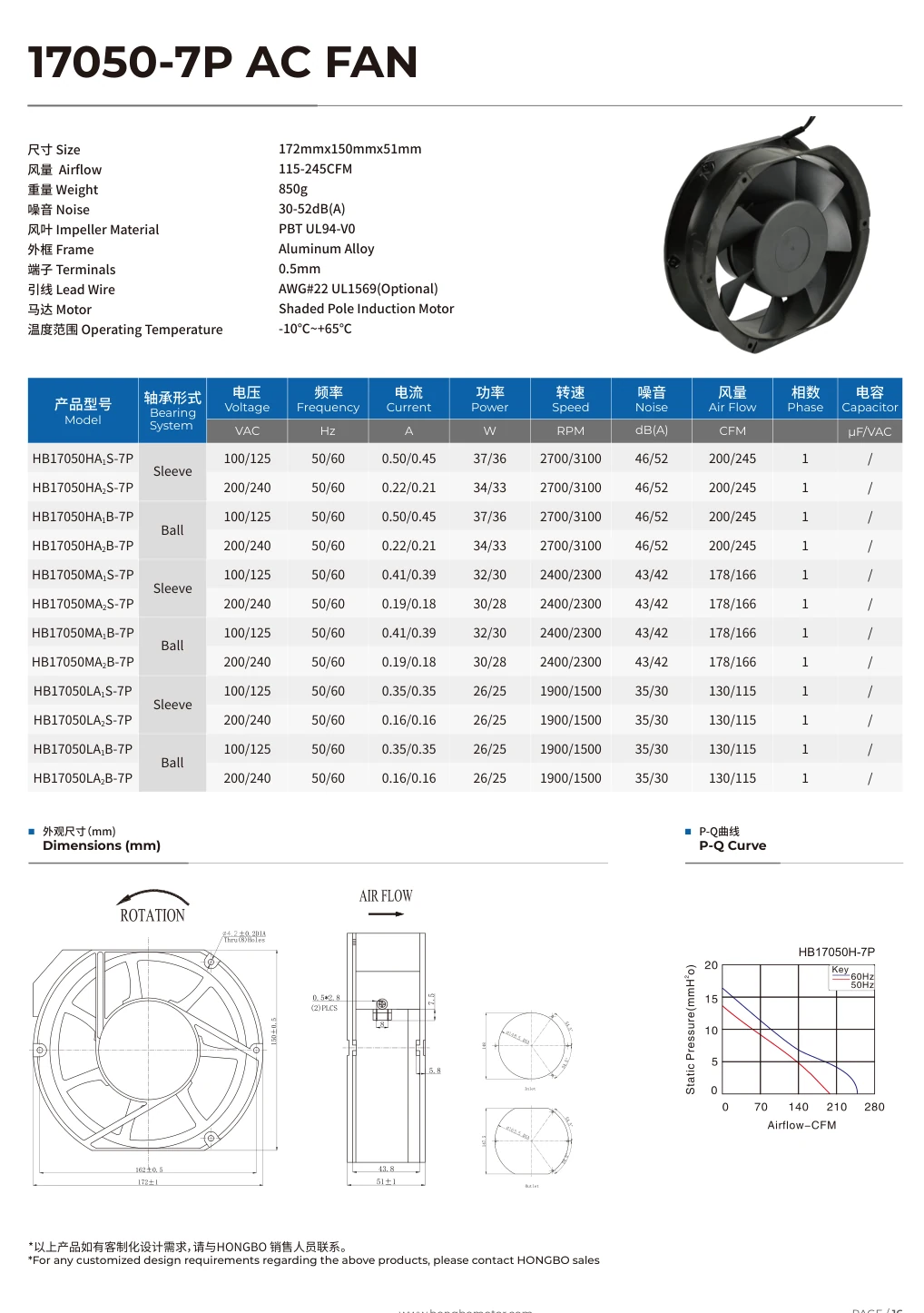
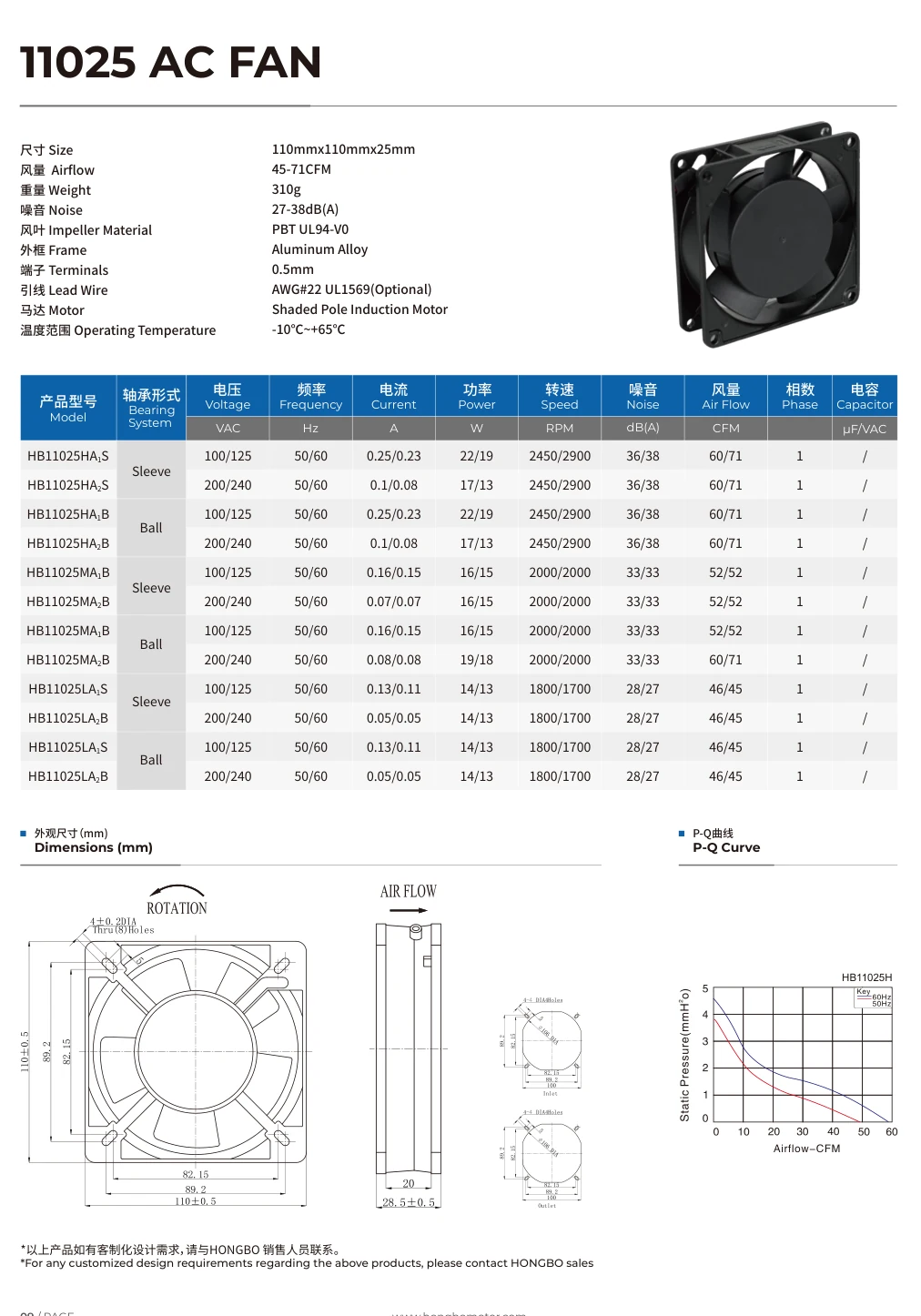
Each sheet includes a model table, outline drawing and airflow–pressure curve.
11025 AC
Printed page 09 · WEBP · model table, outline and P–Q curve
12038-5P AC
Printed page 11 · WEBP · model table, outline and P–Q curve
12038-7P AC
Printed page 12 · WEBP · model table, outline and P–Q curve
17050-7P AC
Printed page 16 · WEBP · model table, outline and P–Q curve
What is on a sheet?
Take the shortlist into your project
Use the model index to share the same published product links with your team. Use the worksheet to fill in the equipment opening, electrical input, airflow and pressure, and documents needed for review.
Fan selection worksheet
Fill in mounting, electrical and airflow requirements.
Published model index
49 published product records with dimensions where available and the official model links.
Choose the file you need for approval
A catalogue sheet can narrow the shortlist. For production approval, ask for the record that identifies your exact variant and the conditions or revision used for the decision.
Agree mounting or wiring
Specify the full model, drawing revision if known, hole pattern and desired connector. Check the received outline, side view and wiring against the equipment.
Verify airflow at pressure
Give the supply or speed setting and both values in your duty point. Check that the selected curve applies to the exact suffix and stated conditions.
Approve a tested sample
Identify the sample, the measurement needed, the setup and the acceptance value. Compare the report to the same test and sample identifiers.
Check compliance coverage
Give the full marking, voltage variant and destination market. Review the model scope and issuer in the document you receive.
Prepare a request for the exact variant
Choose the published model or follow Request files in the selector to prefill it. Add the complete suffix from the label and choose a drawing, curve, test report or conformity record.
Tell us the installation or market and which decision depends on the file. Open the email draft to attach a label photo, drawing or marked test requirements before sending.
Check the record against your purchase
Check that the drawing, curve or declaration covers the part that will be ordered. File the approved record alongside the accepted sample and purchase reference.
Match the complete marking
Compare the full suffix, voltage, frequency or speed with the exact fan you are reviewing.
Match the acceptance condition
Keep the drawing revision, relevant operating point or conformity market with the file. Ask for clarification if any of these differ from the purchase requirement.
Give buying one part reference
Use the same model and revision in the approval record and order. Carry the attachment with the parts list and sample sign-off.
Frequently Asked Questions
Which files can I download here?
The four published catalogue sheets cover 11025, 12038-5P, 12038-7P and 17050-7P. The two CSVs are the selection worksheet and the published model index.
How do I find files for a model outside those four?
Open the model selector and use Request files on the desired result. The request form carries its published reference. Add the full suffix and required document.
Do I need a separate drawing for formal approval?
If the project requires a controlled drawing or test record, request the applicable revision for the exact configuration and keep it with the identified sample.